On this page
- Vacuum the condenser cover and vents; do not remove the panel over the coils. 1
- Wash gaskets with mild detergent in warm water; no bleach, waxes or petroleum cleaners. 1
- A sticky gasket can make a door hard to open; clean it, then a thin coat of polish or wax. 1
- At 70°F the compressor runs 40% to 80% of the time, so running often is not a failure. 1
- Unplug before cleaning and plug in afterward. 1
What is the twice-a-year check on a Kenmore refrigerator?#
Two small jobs: vacuum the condenser cover and vents, and wash the door gaskets. The Kenmore 795 guides describe both and call a dirty cover one reason a refrigerator runs too much. They print no schedule for the cover, so the timing here is ours. 12
We suggest doing both twice a year, and the gaskets whenever you do the monthly wipe-down the guide asks for. The guide says both compartments defrost automatically, but you should clean them about once a month to prevent odors, and wipe up spills immediately. 1
The same pages cover the Kenmore Elite 795.7802 family and the 795.7248. If your Kenmore refrigerator is another family, your manual's care section is the place to check first. 12
What you need#
You probably have everything in the house already, and the whole job takes about fifteen minutes. A vacuum cleaner with a brush or crevice attachment, a soft cloth or sponge, mild dish detergent, warm water and a dry towel. Nothing else. The guide warns against abrasive or harsh cleaners. 1
How do I vacuum the condenser cover?#
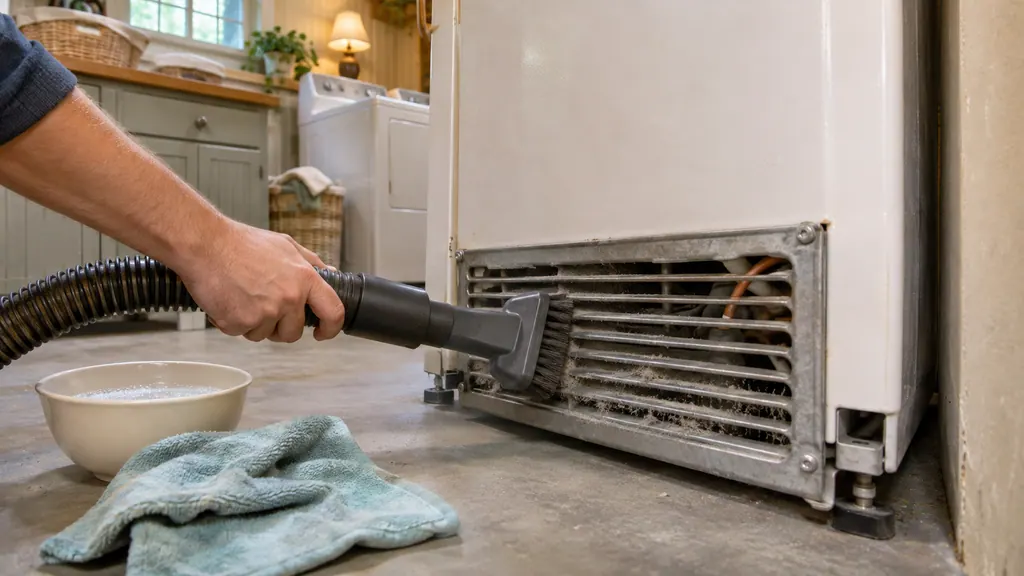
Unplug the refrigerator, then use a vacuum cleaner with an attachment on the condenser cover and the vents. Do not remove the panel that covers the condenser coil area. Plug the refrigerator back in when you are done. 1
- 1
- 2
- 3
- 4
- 5
Why the cover matters#
Airflow over the condenser is how the refrigerator gets rid of heat, so a clogged cover makes every cooling cycle work harder.
The troubleshooting table lists "condenser or back cover is clogged" as a reason the cooling system runs too much, and gives the same fix: vacuum the cover and vents, and do not remove the panel. 12
The same table lists other causes that have nothing to do with dirt: a new refrigerator replacing an older one, power just restored, doors opened often, hot food added, doors not closed completely and a hot room. 1
What normal running looks like#
At normal room temperature, about 70°F, the guide says to expect the compressor to run about 40% to 80% of the time, and more in warmer conditions. The refrigerator should not be run above 110°F. A refrigerator that seems to run a lot may be doing what it should. 1
How do I wash the door gaskets?#
Wipe them with a clean sponge or soft cloth and mild detergent in warm water. The guide says not to use cleaning waxes, concentrated detergents, bleach or cleaners containing petroleum on plastic refrigerator parts. 12
Rinse and dry afterward. The general cleaning tips ask for hand washing, rinsing and drying all surfaces thoroughly. 1
When a gasket is sticky#
If a door is hard to open, the guide's table lists dirty or sticky gaskets and says to clean the gaskets and the surfaces they touch, then rub on a thin coat of appliance polish or kitchen wax. 1
The two pages seem to pull in different directions on wax: the care page warns against cleaning waxes on plastic parts, while the troubleshooting page endorses a thin coat on gaskets. Our reading is to clean with detergent first and use polish only for a gasket that sticks, as the troubleshooting page says. 1
A door that is hard to open right after closing#
A door that is hard to open just after being closed is not a gasket problem. The guide says warm air entering the refrigerator cools and creates a vacuum, and to wait one minute for the pressure to equalize. 1
What else keeps a door from sealing?#
The gasket is only one cause. The guide lists food packages blocking the door, an ice bin, crisper cover, pans, shelves, door bins or baskets out of position, doors that were removed during installation and not replaced properly, and a cabinet that is not level. 1
Rearrange containers so nothing sticks out, push bins all the way in and seat shelves and baskets correctly. If the refrigerator is not level, the guide points to its Door Alignment section. 1
The door alarm helps here. It sounds when either door is open more than 60 seconds and stops when you close the door. 1
A quick seal check you can do by eye#
With the door open, look along the whole gasket for tears, flat spots, food residue and folds that do not spring back. The guide gives no pass-or-fail test for a gasket, so this is only a look, but a visible gap or a torn section is a reason to book a visit rather than keep wiping.
Exterior care, for completeness#
While you have the cloth out, the care page has a few notes on the outside of the cabinet too. The guide also says to wax external painted metal surfaces at least twice a year with appliance wax or auto paste wax, and not to wax plastic parts. That is the only twice-a-year item in the care pages. 1
For stainless steel exteriors, use a soft cloth with mild detergent in warm water, no abrasive or harsh cleaners, and dry thoroughly. 1
When should I book a technician?#
Book a visit if the refrigerator stays warm or runs nonstop after the cover is vacuumed and the doors seal, if a gasket is torn or a door will not seat against a clean gasket, or if you suspect a problem behind the condenser panel. Do not remove that panel. 1
Tell us what you cleaned and when, how warm the compartments are and whether the doors close on their own. If the refrigerator is in a hot spot, such as next to an oven or in a closed alcove, say so: the guide says it should not be operated above 110°F, and that the compressor runs more in warm rooms. 1
You can book a visit, read about our refrigerator service or see the door seal page. The technician agrees the price with you before any work starts. The exact cost is confirmed after the on-site diagnostic. If your unit is under the manufacturer's warranty, the manufacturer handles that repair. We give a warranty on our workmanship.
Sources#
- Use & Care Guide, Kenmore Elite bottom-freezer refrigerators 795.7802/7804/7902/7904Kenmore / Sears Brands · Document 1309443L (part MFL67851301), no date printed · pp. 35 (Care and Cleaning: gaskets, condenser coils), 40-41 (Cooling troubleshooting), 46 (Doors will not close, doors difficult to open)
- Use & Care Guide, Kenmore bottom-freezer refrigerator 795.7248Kenmore / Transform SR Brands · Document 1912123L (part MFL62184470), Rev. 07, no date printed · pp. 36 (Care and Cleaning), 41 (Cooling troubleshooting)