On this page
- Refrigerator control: 33°F to 46°F. Freezer control: minus 6°F to 8°F. 1
- Change one step at a time and wait 24 hours. 12
- Do not block the air vents; it can make the unit too warm or cause moisture. 1
- Ultra Ice or Accela Ice runs for 24 hours and then switches itself off. 12
- Hold Freezer Temp and Refrigerator Temp together for five seconds to switch °F and °C. 1
How do I set the temperature on a Kenmore Elite bottom-freezer?#
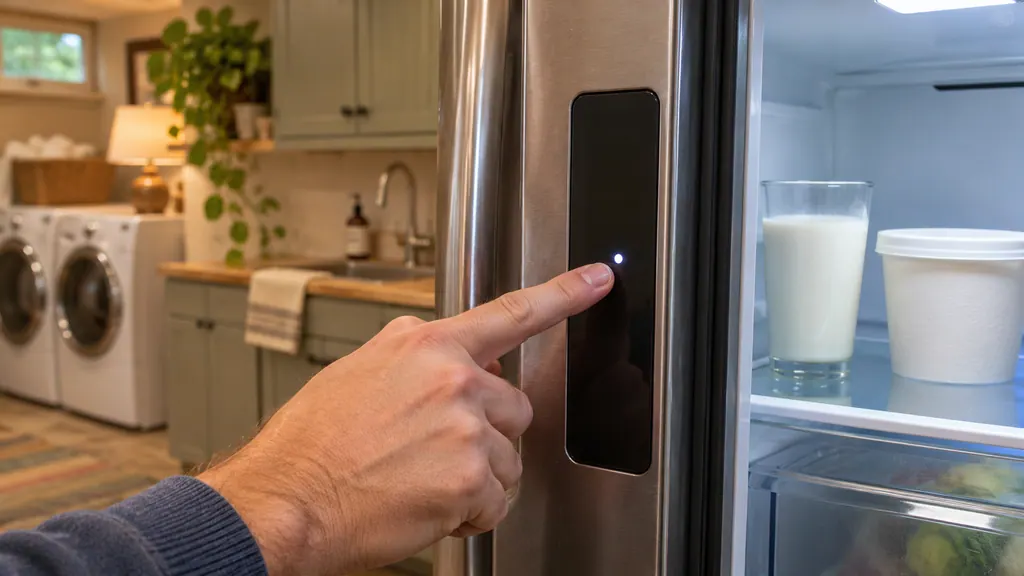
Press the Refrigerator Temp or Freezer Temp button. Each press moves the setting one step through the available range. The refrigerator covers 33°F to 46°F and the freezer minus 6°F to 8°F. After a change, wait 24 hours before adjusting again. 12
The guide's test for a correct setting is simple: milk or juice is as cold as you like and ice cream is firm. If either compartment is too warm or too cold, change the setting one step at a time and let it settle. 1
This guide covers the Kenmore Elite 795.7802, 7804, 7902 and 7904, and the 795.7248. The two guides share the temperature rules, and we point out where the buttons differ. 12
What to expect with a new refrigerator#
A newly installed refrigerator may take up to 24 hours for each compartment to reach the desired temperature. Do not judge the settings during that day. 1
If it was stored for a long time or moved on its side, the guide says it must stand upright for 24 hours before you connect it to power. 1
Where to start if you have never changed it#
Leave the factory setting alone for the first day, then judge by the food. Most owners only ever need one or two steps in either direction, and the 24-hour wait is what stops a small correction from turning into a swing from too warm to too cold. 1
What is a good freezer setting?#
For normal ice production the guide recommends 0°F for the freezer. If the freezer is warmer, ice production is affected. A freezer that is too cold is its own entry in the tables, so do not go colder than you need. 1
- 1
- 2
- 3
- 4
- 5
Why is the refrigerator too warm or the food freezing?#
The guide lists causes before settings: a new installation, blocked air vents, doors opened often, a hot location, a lot of food or hot food added and doors not closed correctly. Only after those does it list a setting that is not correct. 1
Food that freezes in the refrigerator section has its own causes: high-water foods near an air vent, a setting that is too cold or a room below 41°F. The guide says the unit should not be operated below 55°F. 1
Airflow#
Good airflow matters as much as the setting, and it costs nothing. Do not block the vents while packing. Blocked vents restrict airflow and may make the refrigerator too warm or cause interior moisture buildup. Rearrange items so air can move through each compartment. 1
Bins that are warmer on purpose#
If one shelf feels warmer than the rest, it may be by design. The Cheese and Butter bin and the Condiment bin run slightly warmer than the refrigerator section. The guide calls this normal and says to keep items you want cooler in the main section. It also says not to keep milk or mayonnaise in the Condiment bin. 1
What do the other buttons and messages on the display do?#
Each model has a few extras: an ice boost button, a door alarm, a temperature unit switch, a Demo Mode and, on some, a control lock. The guides describe each in a line or two, and none of them is a repair. 12
Ultra Ice and Accela Ice#
Press and hold the button. Its light comes on in the display and stays on for 24 hours, then the function shuts off by itself. It increases both ice making and freezing capabilities. Press the button once more to stop it earlier. The name is Ultra Ice on the Elite and Accela Ice on the 795.7248. 12
Door alarm#
The alarm is easy to mistake for an error tone, but it only tells you a door is open. When power is connected the door alarm is ON. A door open more than 60 seconds sounds the alarm until you close it. Pressing the Door Alarm button turns it to OFF. 1
Fahrenheit and Celsius#
To convert, press and hold the Freezer Temp and Refrigerator Temp buttons at the same time for about five seconds. Repeat to go back. If the numbers look wrong, check the unit before you think anything is broken. 1
Control lock (795.7248)#
The Control Lock starts off. Hold its button for three seconds or more to lock all other buttons and the dispenser pad, and hold it again for about three seconds to unlock. If buttons do nothing and a lock icon shows, this is why. 2
Demo Mode and OFF#
Demo Mode is for store floors. It disables all cooling in both sections to save energy while the lights and display keep working, and OFF shows on the control pad. To deactivate, open a refrigerator door and hold Refrigerator Temp and the ice boost button for five seconds. The pad beeps and shows temperatures. 12
On some models the refrigerator control itself can be set to OFF, which also stops cooling. The guide says to turn it ON and use the proper settings. 1
Filter reminders#
The display also reminds you about filters, which can be mistaken for a message. On the 795.7248, a Change icon tells you the air filter needs replacing, and the water filter indicator does the same for the water filter. Hold the matching button three seconds to clear the light.
The guide says to change both about every six months. 2
When should I book a technician?#
Book a visit if either section stays too warm or too cold after one-step changes, 24-hour waits, clear vents and closed doors, or if an Er or F message stays on the display. The guides print no table to decode those messages. 12
Our page on refrigerator messages the guides do not decode says what to write down before you call.
You can book a visit, read about our refrigerator service or see the temperature problems page. The technician agrees the price with you before any work starts. The exact cost is confirmed after the on-site diagnostic. If your unit is under the manufacturer's warranty, the manufacturer handles that repair. We give a warranty on our workmanship.
Sources#
- Use & Care Guide, Kenmore Elite bottom-freezer refrigerators 795.7802/7804/7902/7904Kenmore / Sears Brands · Document 1309443L (part MFL67851301), no date printed · pp. 26-27 (Setting the Controls, Ultra Ice, Door Alarm, Demo Mode, Temperature Mode), 41-42 (Cooling troubleshooting)
- Use & Care Guide, Kenmore bottom-freezer refrigerator 795.7248Kenmore / Transform SR Brands · Document 1912123L (part MFL62184470), Rev. 07, no date printed · pp. 19-21 (Setting the Controls, Air Filter, Accela Ice, Water Filter Reset, Door Alarm, Control Lock, Demo Mode), 42-43 (Troubleshooting)